
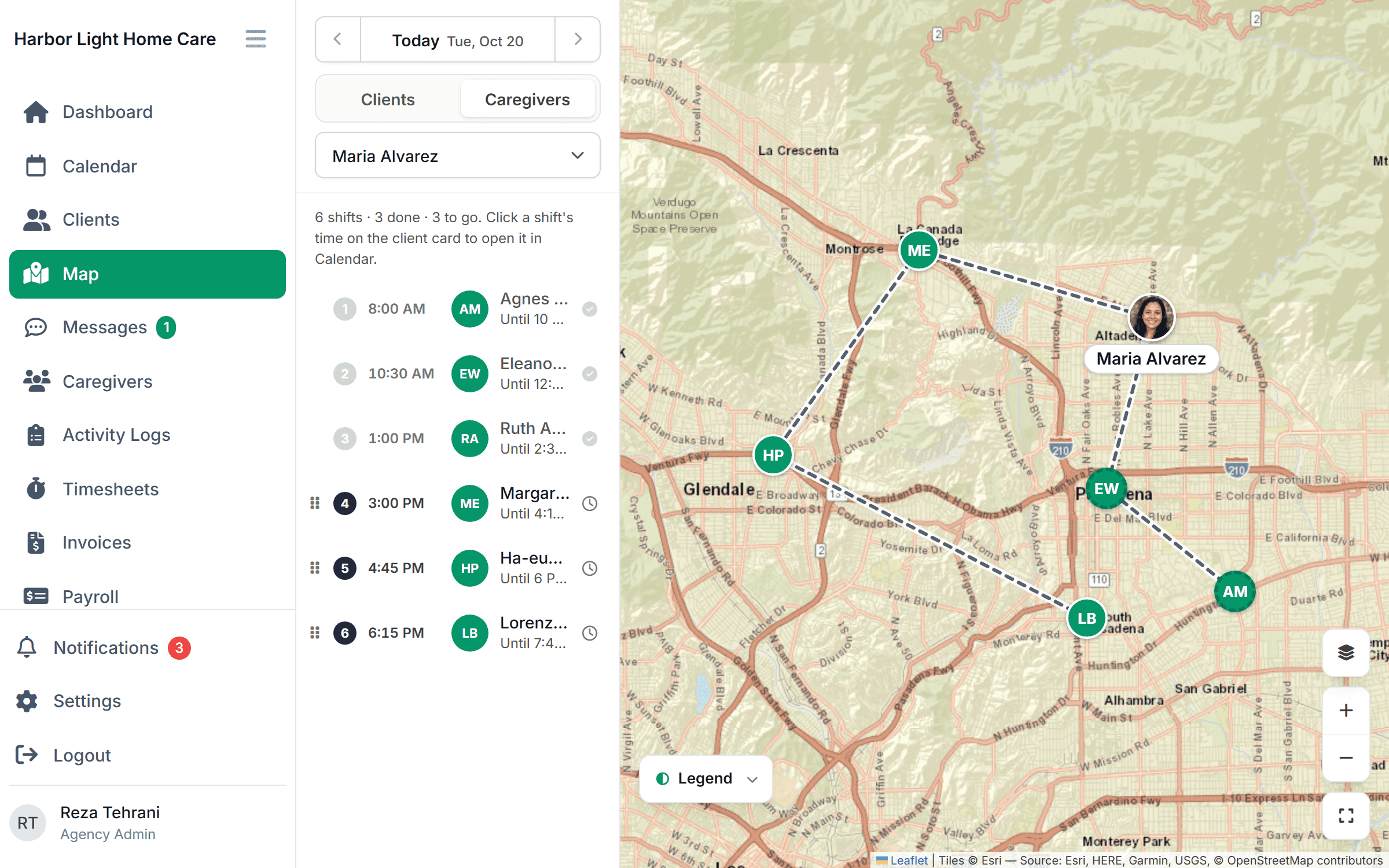
In the field
The whole day, in their pocket.
Caregivers see their next visit, check in when they arrive, follow the route between clients and accept new shifts from their phone. No calls to the office to ask where to go next, and no paperwork at the end of the day.
Free for 30 days, then from $199/month. No per-caregiver surcharges.
A caregiver’s day
Open the app. The day is already planned.
- 1
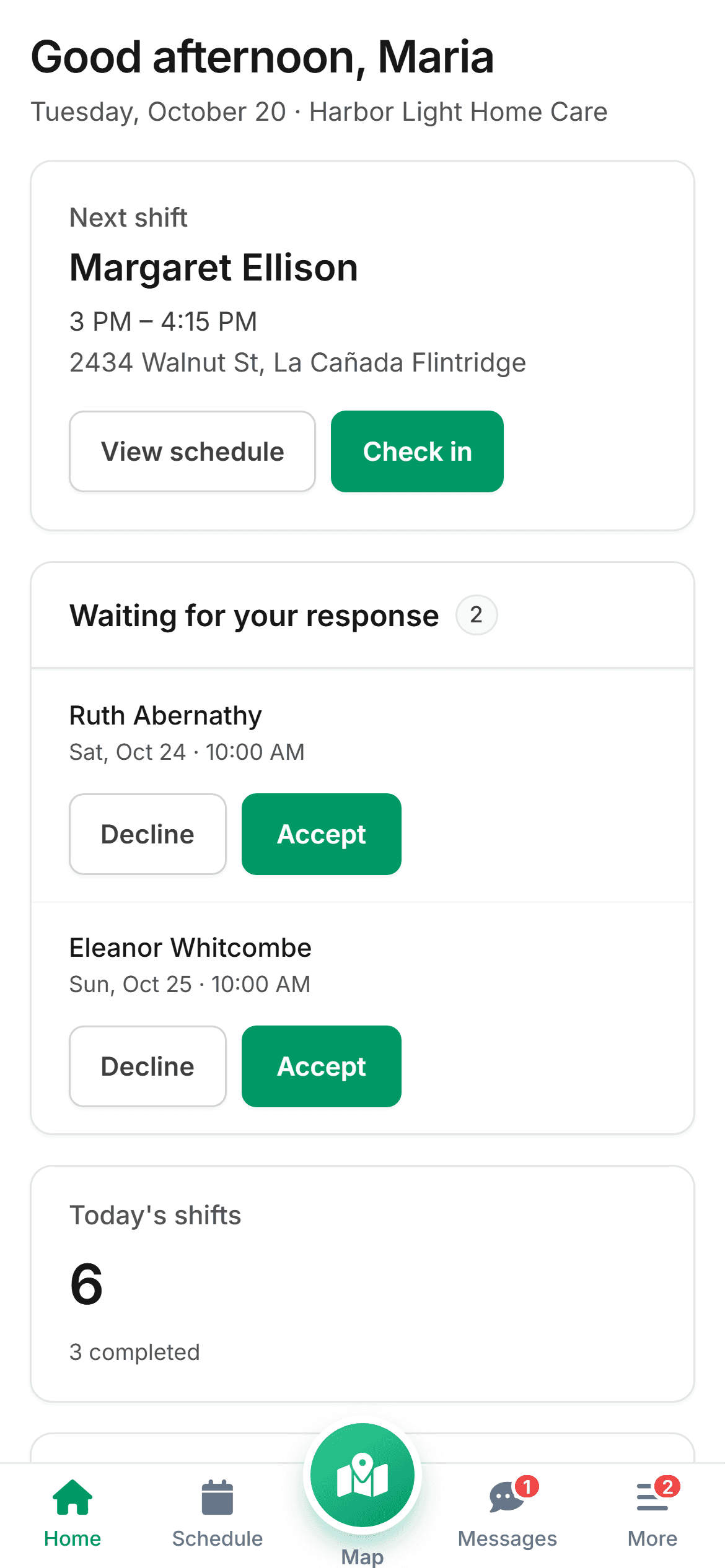
See what’s next
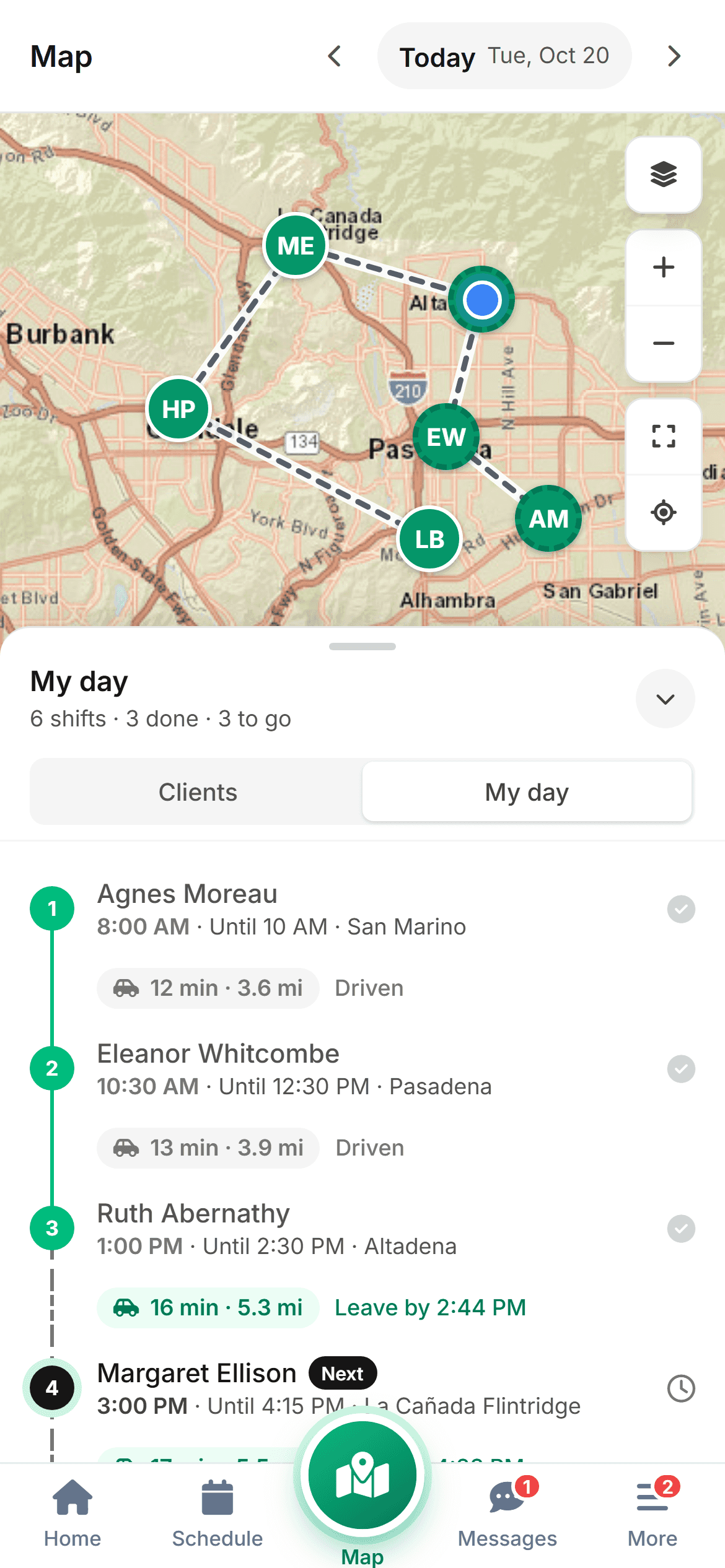
The next visit is on the home screen: client, time, address and what the care plan calls for. The full day is one tap away, in route order.
- 2
Check in and give care
One tap at the door confirms arrival. The task list for the visit is on the phone, and the client signs at the end.
- 3
Hear about changes right away
A moved visit, a new shift offer or a message from the office arrives as a notification. Accept or reply without leaving the app.
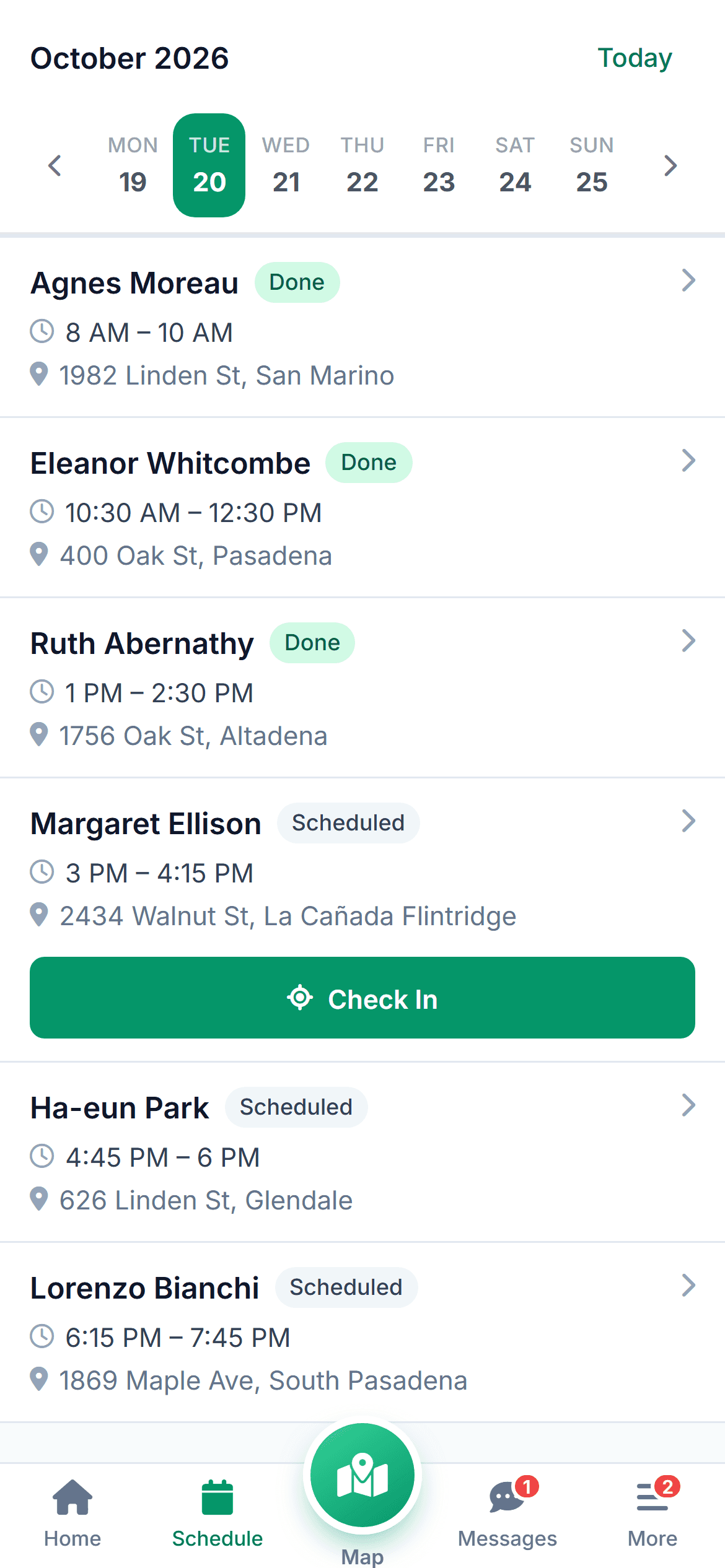
Today’s visits
Times, addresses and care needs for every client.
The schedule shows the day in route order with directions to each home. Caregivers can see the care plan and the last visit’s notes before they walk in, so nothing is a surprise.
- Route order with directions to each client
- Care plan and recent notes for every visit
- Done visits checked off as the day goes on
Check-in
Verified on arrival, signed at the door.
Check in confirms the caregiver is at the home. At the end of the visit the client signs on the phone.
- One-tap check-in and check-out
- Client signature on the phone
- Location read only at check-in and check-out
Shifts and messages
Open shifts and office messages, in one place.
When the office posts an open shift, caregivers who are cleared for the client get the offer on their phone and accept with one tap. Messages with the office stay in the app, not in a personal text thread.
- Accept or decline shift offers
- Message the office without leaving the app
- Mark yourself running late with one tap
Part of one tool
The app is the field end of everything.
Common questions
What agencies ask about the app.
Something else on your mind? Ask us and we'll answer the same day.
Yes, on both. Caregivers use the phone they already have. There’s nothing to buy and no extra per-caregiver charge for the app.
Only what they need for their own visits: name, address, care plan, and notes from recent visits. They don’t see other caregivers’ schedules, billing or records for clients they aren’t assigned to.
The home screen has one job: show the next visit and a Check in button. Most caregivers are checking in on their first shift. We also provide a one-page guide you can hand out.
The day’s schedule is stored on the phone, and check-ins are saved locally and sent when the signal comes back.
Within the limits you set. They can mark themselves late, reorder their own visits, and accept open shifts. Bigger changes go to the office for approval.
Simple pricing
From $199 /month
Starter: up to 10 caregivers. The caregiver app is on every plan.
No per-caregiver surcharges for the app. Invite your caregivers by text and they’re set up before their next shift.
Give caregivers one app instead of a group text.
Tap through the caregiver app with us in a 30-minute demo.