
Plan the day
Every caregiver’s day, in an order that makes sense on a map.
Visits get booked in the order clients call, and caregivers end up crossing town twice before lunch. Put every client and caregiver on one map, and each day is arranged so less time goes to driving and more goes to care.
Free for 30 days, then from $199/month. No per-caregiver surcharges.
How a day gets planned
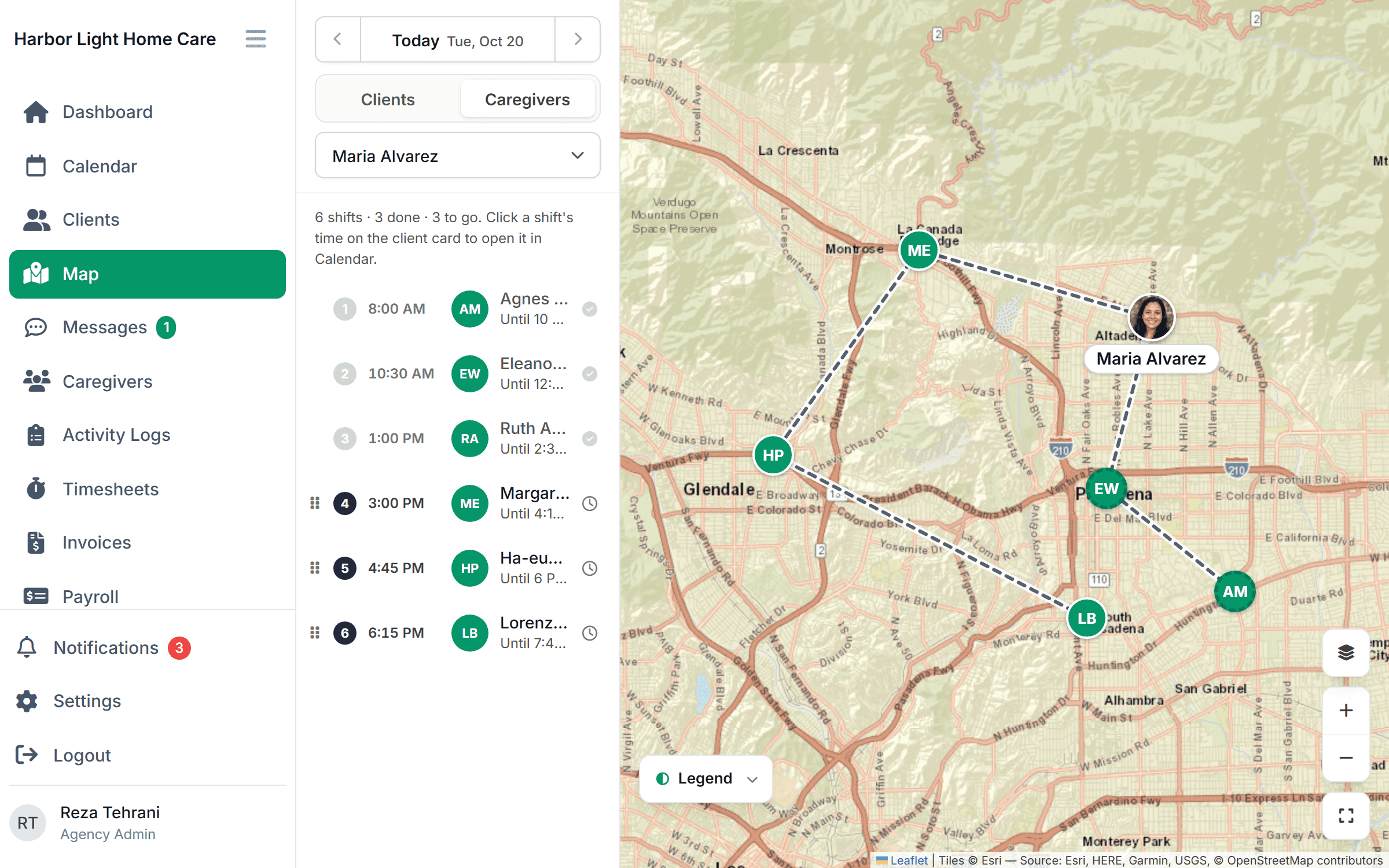
Plan on the map, not in a list.
- 1
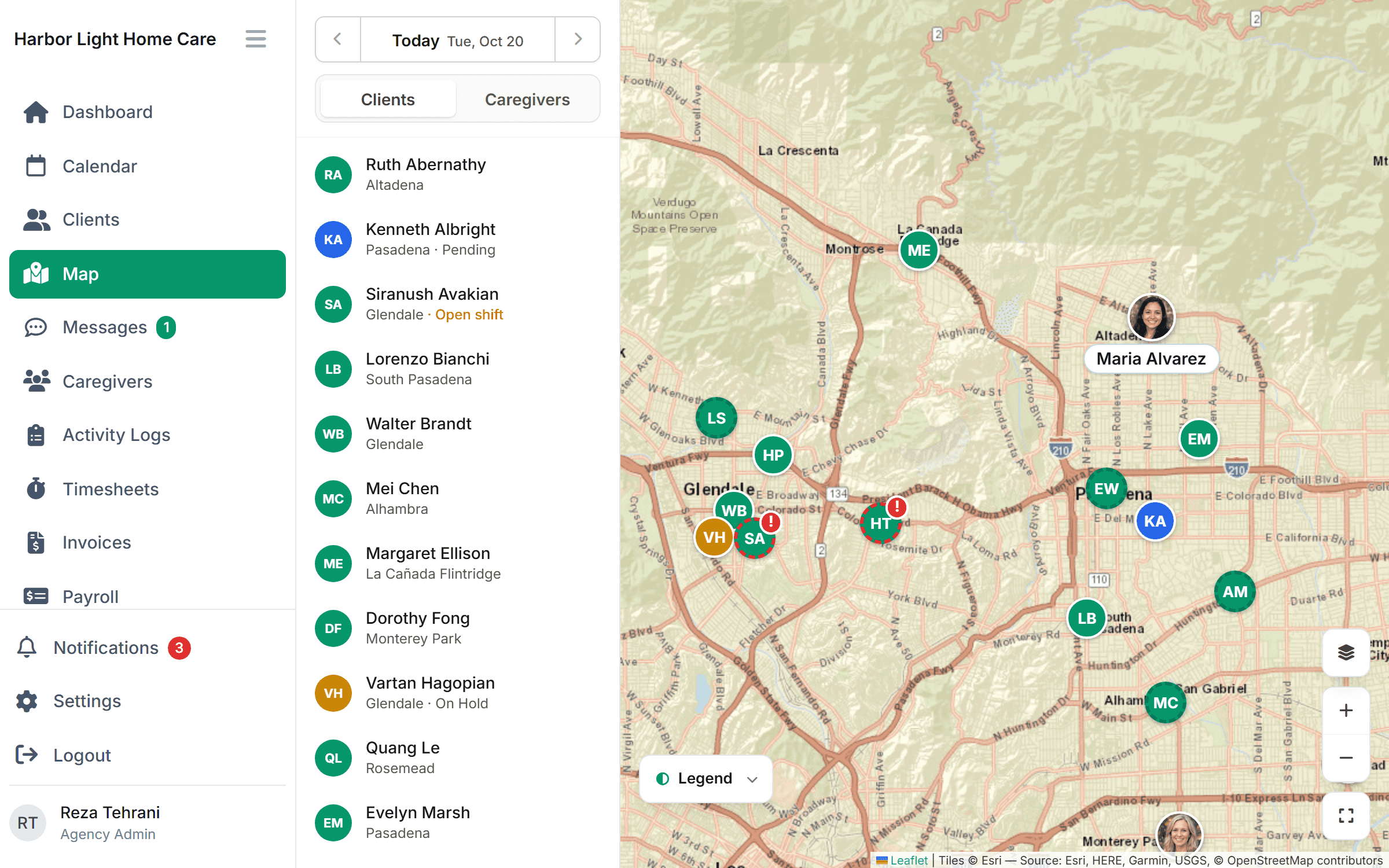
See everyone at once
Clients, caregivers and the office plotted together, color-coded by status. Open shifts show up next to the caregivers already working nearby.
- 2
Pick a caregiver
Their visits become a numbered route with drive times between stops. Finished visits are checked off as the day goes on.
- 3
Fix what stands out
A client far off everyone’s route, or two caregivers in the same neighborhood at the same time, is obvious at a glance. Drag a visit to fix it.
Open shifts
Fill an open shift with someone already nearby.
When a visit has no caregiver, it shows on the map as an open shift beside the caregivers working in that area. Assign it to the closest one who’s cleared for the client, or post it for the team to claim.
- Open shifts shown on the map, not buried in a list
- Distance from each caregiver’s last visit
- Credentials checked before the assignment is made (Growth and up)
On the caregiver’s phone
The route goes with them.
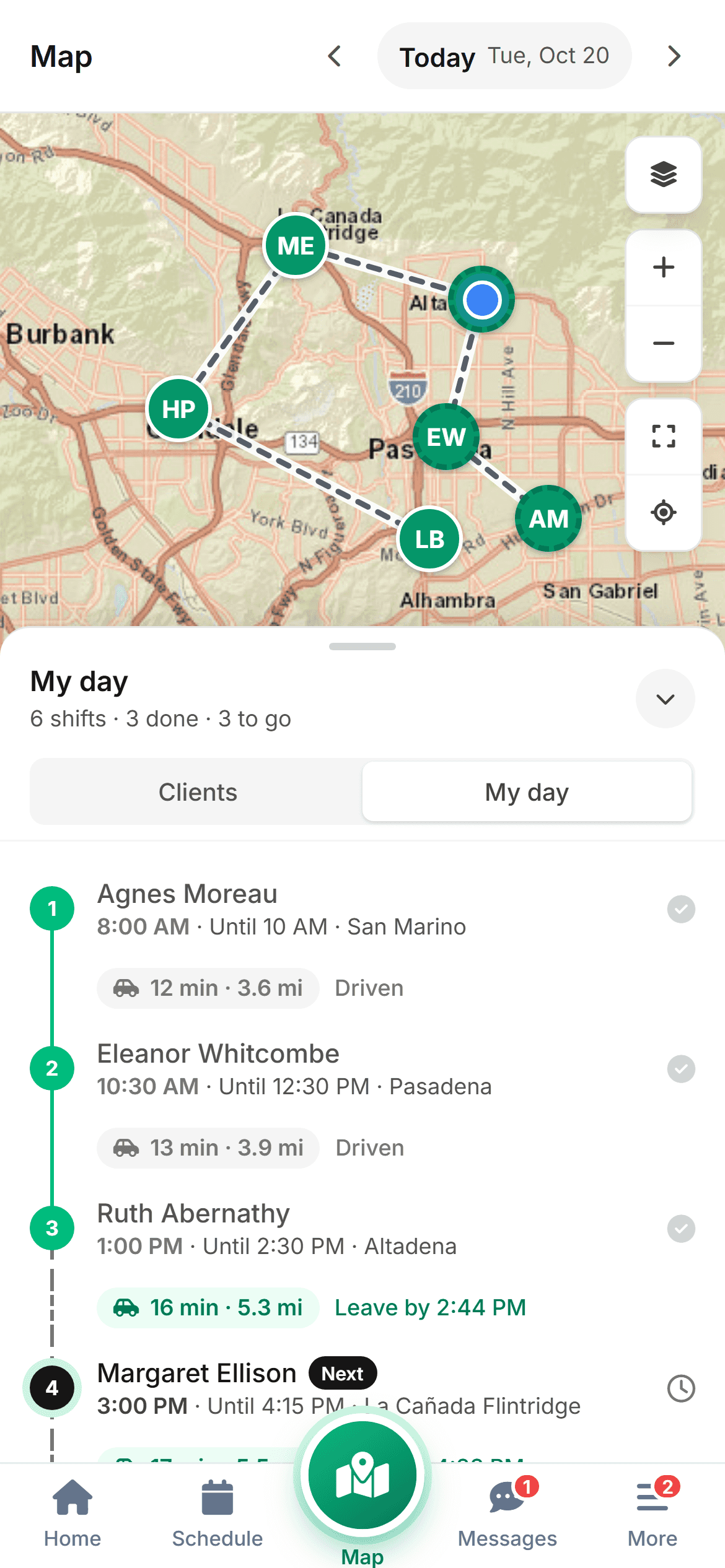
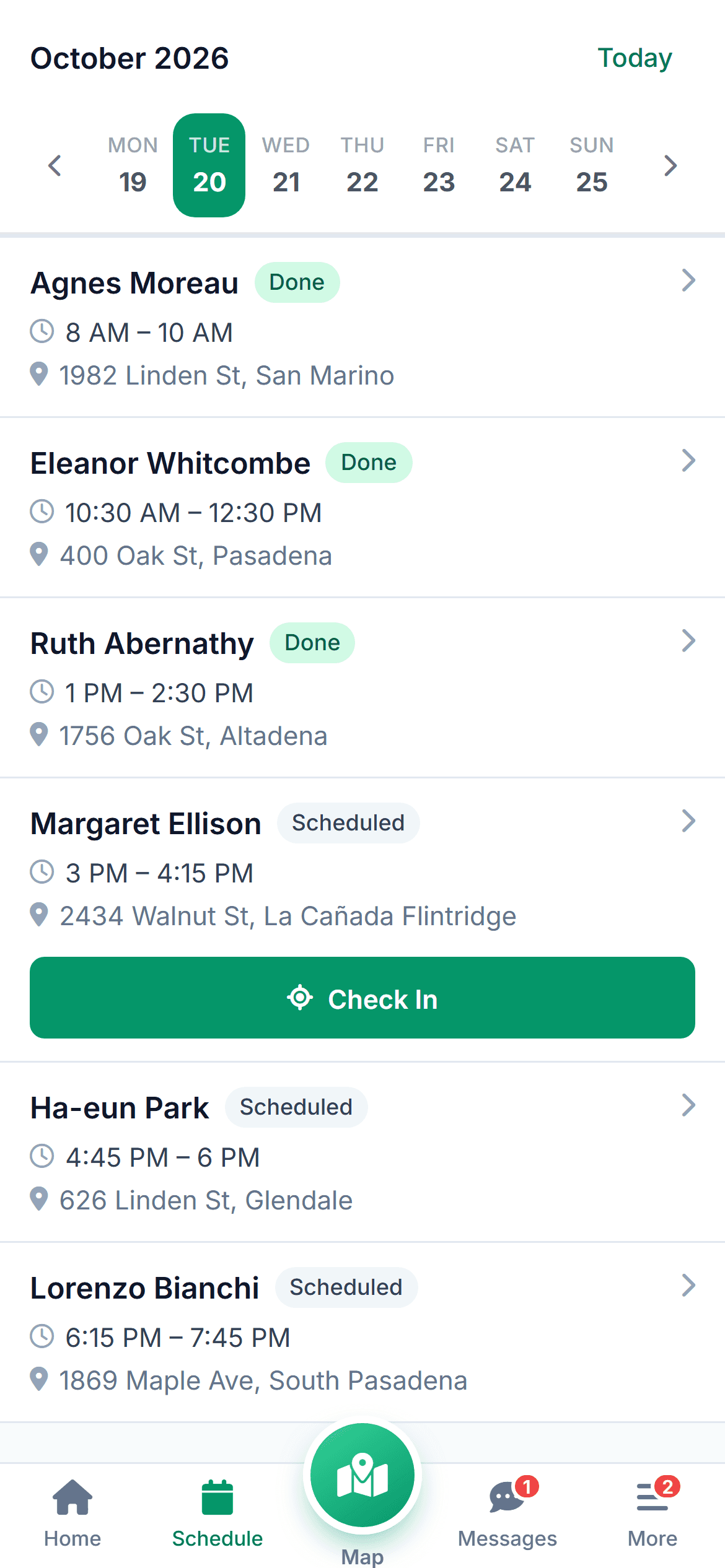
Caregivers see the same day in the same order on their phone, with directions from one client to the next. No calls to the office to ask where to go after this one.
- Today’s visits in route order with addresses
- Directions to the next client in one tap
- Route updates if the office changes the day
Changing the order
Move one stop and see what it does to the day.
A client asks for afternoons instead of mornings. Drag the visit and the route redraws with the new drive times, so you can see whether the day still works before you save it.
- Drive time updates as you drag
- Warnings when a stop can’t be reached in time
- The caregiver is notified when you save
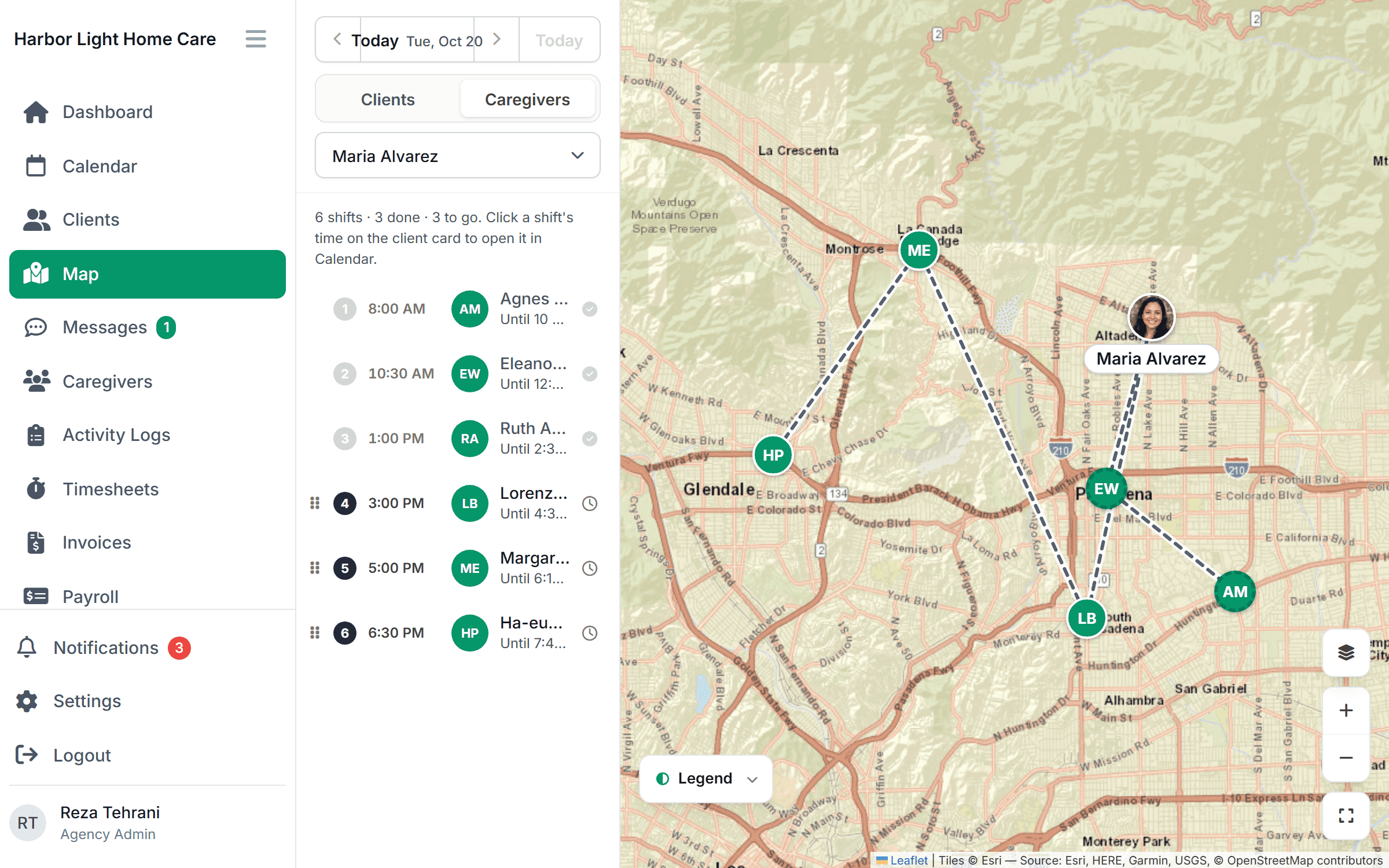
Part of one tool
The map is where the day comes together.
Common questions
What agencies ask about routing.
Something else on your mind? Ask us and we'll answer the same day.
Yes. Drive times between stops come from a mapping service and account for the time of day, so an 8 AM leg across town is estimated differently from a 2 PM one.
Always. The route is a starting point. Drag stops into the order you want, and the drive times update to match.
No. Location is captured at check-in and check-out only. The map shows where a caregiver last checked in or out, not where they are between visits.
Yes. Longer drives make an efficient order matter more.
No. Plans are priced by tier, not per caregiver: Starter covers up to 10 caregivers and Growth up to 50. Clients are unlimited on every plan.
Simple pricing
From $199 /month
Starter: up to 10 caregivers. Growth: $299/month for up to 50.
Import your clients and caregivers and the map fills in on day one. We’ll help you move the first week over.
See your agency on one map.
Bring your client list to a 30-minute demo. We’ll plot it live and plan a caregiver’s day together.