Plan the day
When plans change, drag the visit. Everything else follows.
A client cancels, a caregiver calls out, a new client starts tomorrow. Drag the visit to a new time or a new caregiver and the route and the caregiver's phone update with it. Changes caregivers make from the field show up on your calendar the same way.
Free for 30 days, then from $199/month. No per-caregiver surcharges.
How a change happens
One drag. Three things update.
- 1
Drag the visit
Pick up the visit on the calendar and drop it on a new time, a new day or another caregiver's row. Conflicts are checked as you drop, and on Growth and up, authorized hours too.
- 2
The route reorders
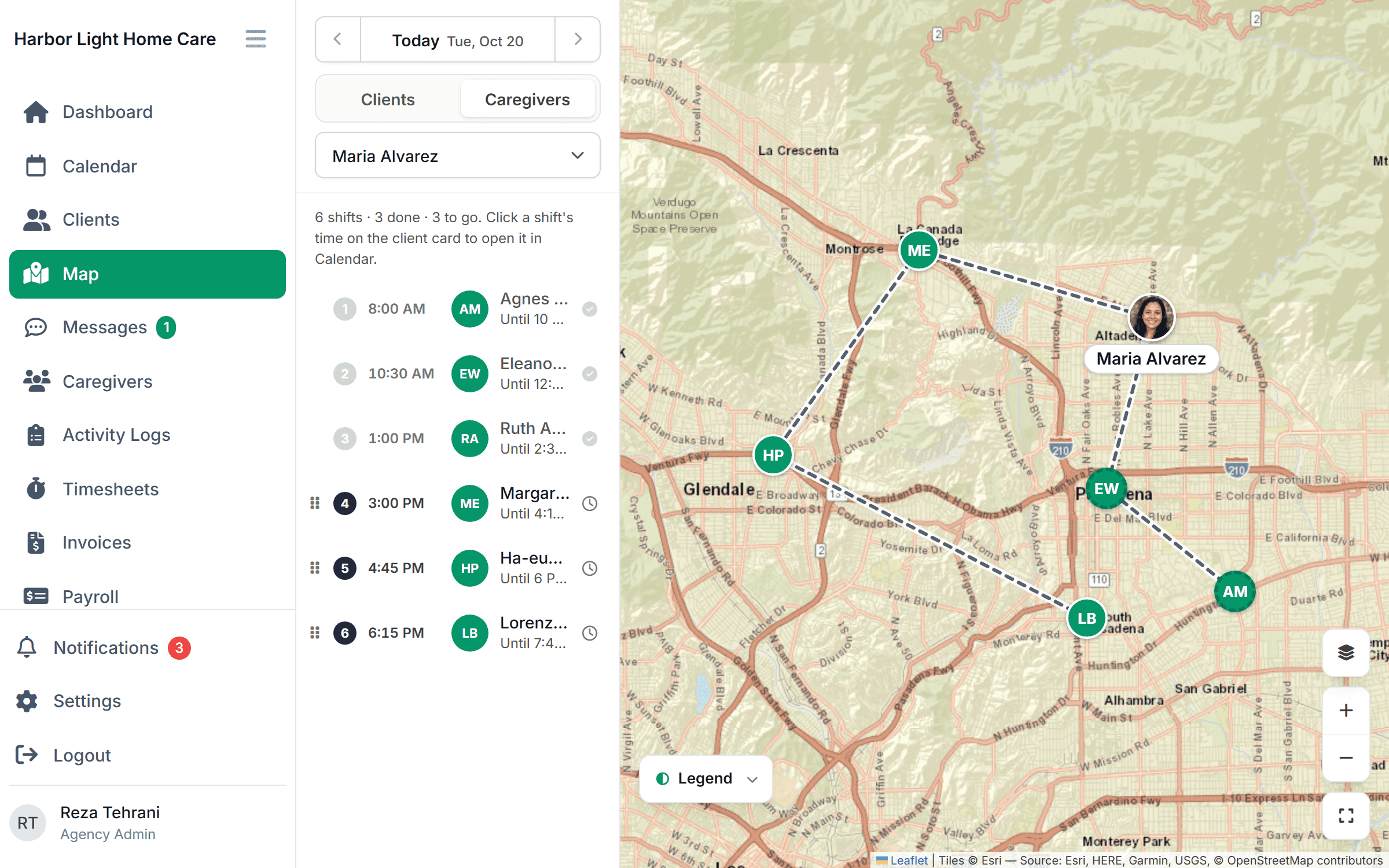
Both caregivers' days are put back in an efficient order on the map. No one drives across town twice because of one change.
- 3
The caregiver sees it
The new visit shows up on their phone with the address and care plan. They accept it there.
Call-outs
Fill a call-out from your desk, not your contact list.
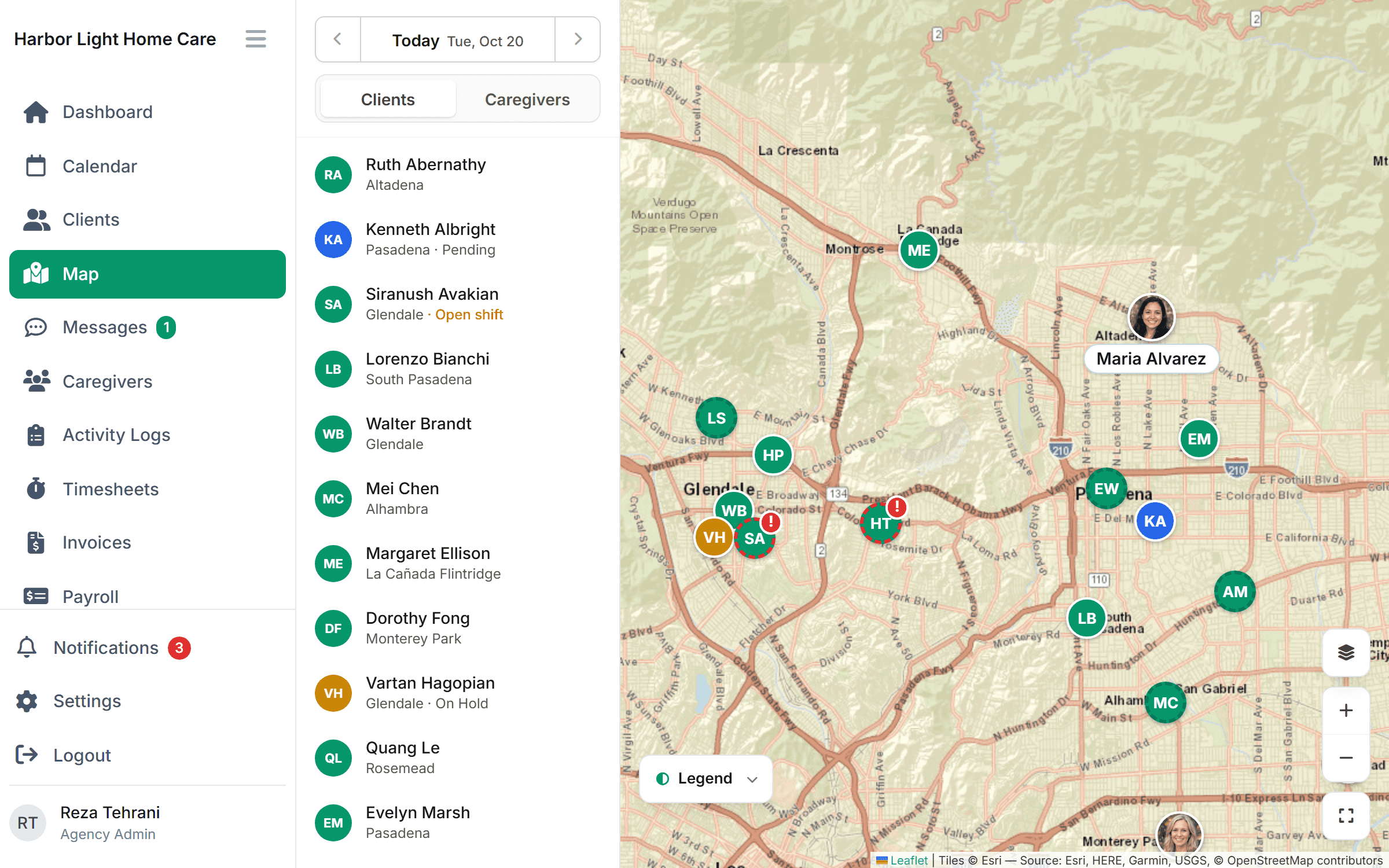
When a caregiver can't make it, their visits turn into open shifts. See which caregivers are free, nearby and cleared for the client, then drag the visit onto one of them or post it for the team to claim.
- Open shifts listed next to who can take them
- Caregivers accept or decline from the app
- Expired credentials block an assignment before it's made (Growth and up)
Recurring schedules
Set the pattern once. The weeks fill themselves.
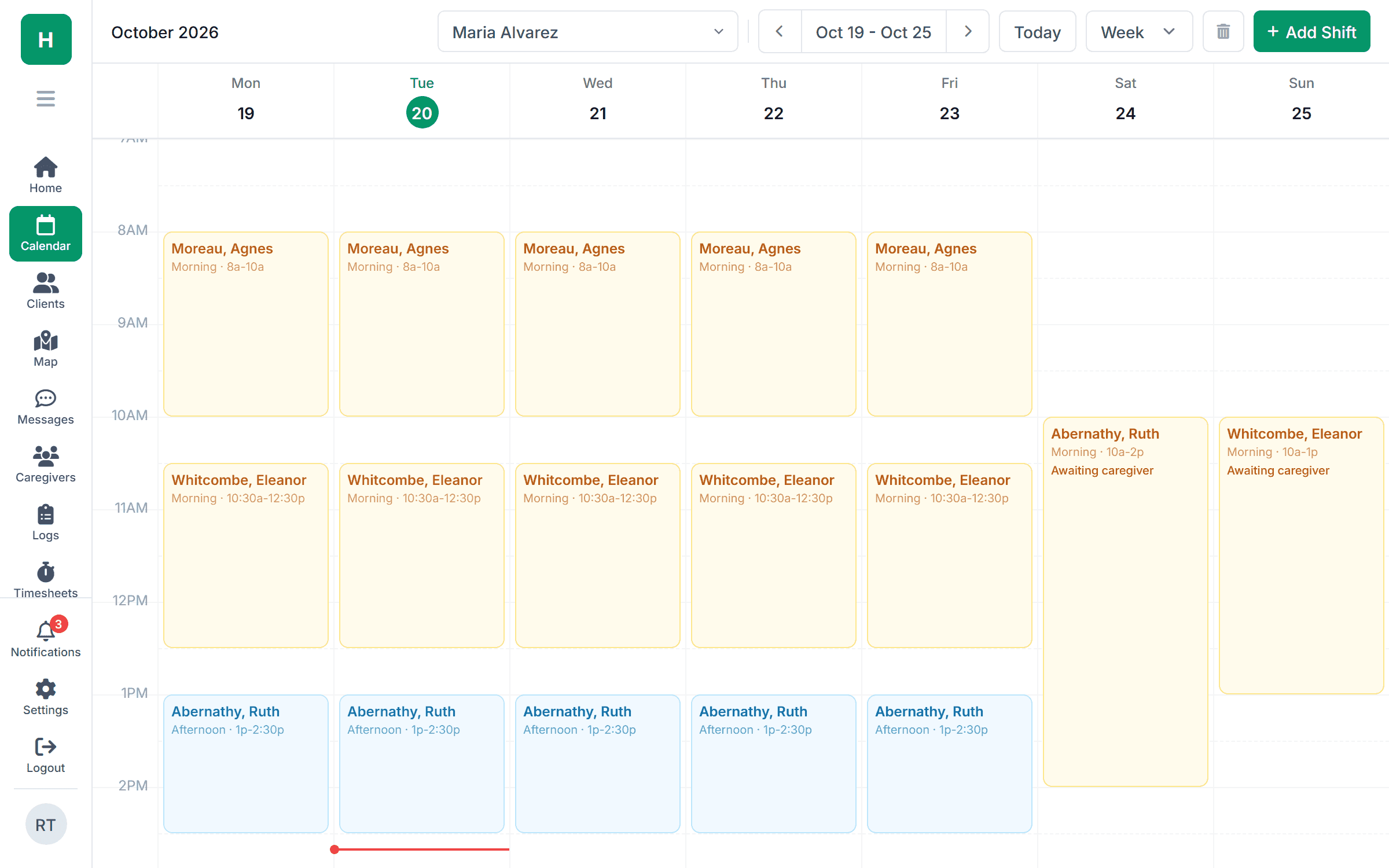
Most clients get the same visits every week. Enter the pattern on the client's record and the calendar builds every week from it, with the client's authorized hours kept in check on Growth and up. Change one week without touching the rest.
- Weekly, biweekly and custom patterns per client
- Preferred caregivers assigned by default
- Warning when a week goes over authorized hours (Growth and up)
On the caregiver's phone
One calendar, kept in sync both ways.
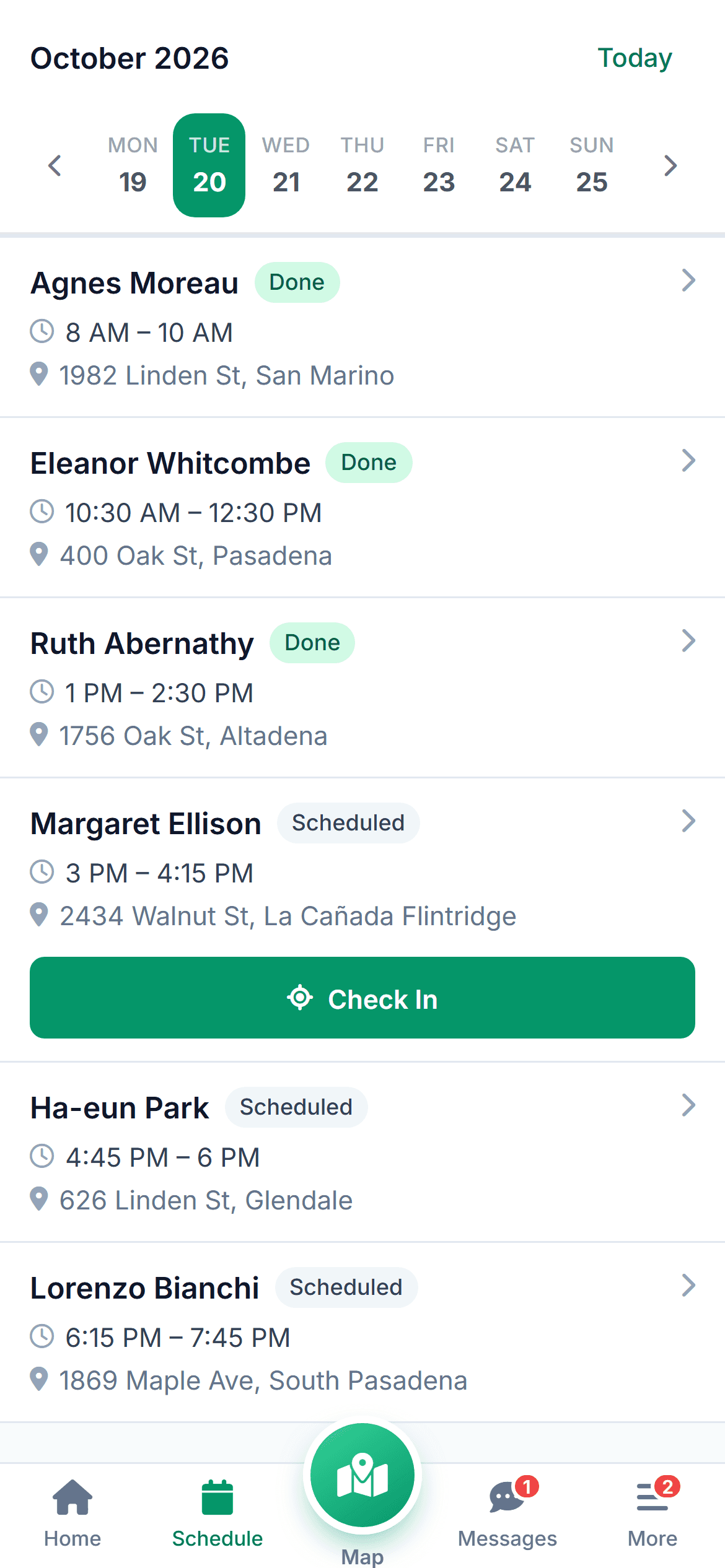
Changes from the office land on the caregiver's phone as their updated day: the new visit, the address, the route between clients. And when a caregiver runs late, swaps the order of two visits or picks up an open shift, the agency calendar and map update right away, with the office notified.
- Office changes: push notification to the caregiver, one tap to confirm
- Caregiver changes: agency calendar and route update, office is notified
- You choose which caregiver changes need office approval
 Schedule changed now Agnes Moreau moved to 2:30 PM. Lorenzo Bianchi is now 10:30. Tap to confirm.
Part of one tool
The schedule feeds everything else.
Common questions
What agencies ask before switching.
Something else on your mind? Ask us and we'll answer the same day.
Yes. Export it as a CSV and import clients, caregivers and recurring visits in one step. We’ll check the first import with you during the trial.
The drop is blocked and the overlap is shown on the calendar. On Growth and up, the same goes for caregivers with expired credentials, or a client who would go over their authorized hours.
You decide. By default the change takes effect right away and the caregiver gets a notification. You can require a confirmation instead and see who hasn’t responded.
Yes, within the limits you set. Caregivers can mark themselves running late, reorder their own visits, and accept open shifts from the app. Each change updates the agency calendar and map immediately and notifies the office. Anything bigger, like moving a visit to another day or declining a scheduled shift, goes to the office for approval.
Yes. Shifts can cross midnight and span several days.
No. Plans are priced by tier, not per caregiver: Starter covers up to 10 caregivers and Growth up to 50. Clients are unlimited on every plan.
Simple pricing
From $199 /month
Starter: up to 10 caregivers. Scheduling is on every plan.
Start with next week's schedule. Import your clients and caregivers, and we'll help you move the first week over.
Get next week's schedule out of the spreadsheet.
Bring your real schedule to a 30-minute demo. We'll build it live and move a few visits around.