
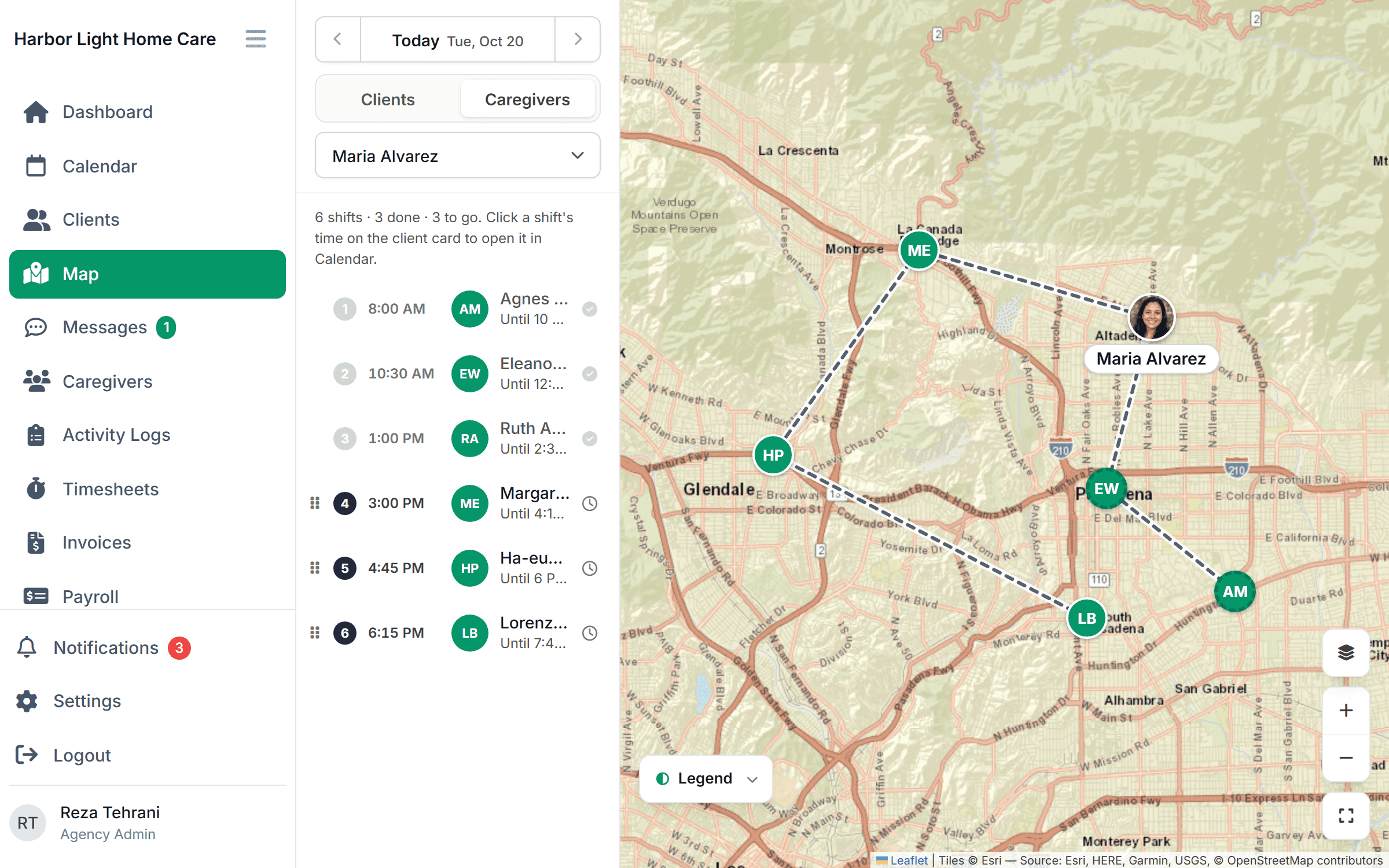
Back office Coming soon
From verified visit to QuickBooks, with nothing retyped.
This is coming soon and isn’t in the product yet. Checked-in visits will become timesheets on their own. You’ll review the pay period, clear the flags, approve it, and send hours to QuickBooks for payroll, and invoice private-pay clients from the same data.
Free for 30 days, then from $299/month. No per-caregiver surcharges.
How payroll Friday will go
Review, approve, send.
- 1
Hours will arrive on their own
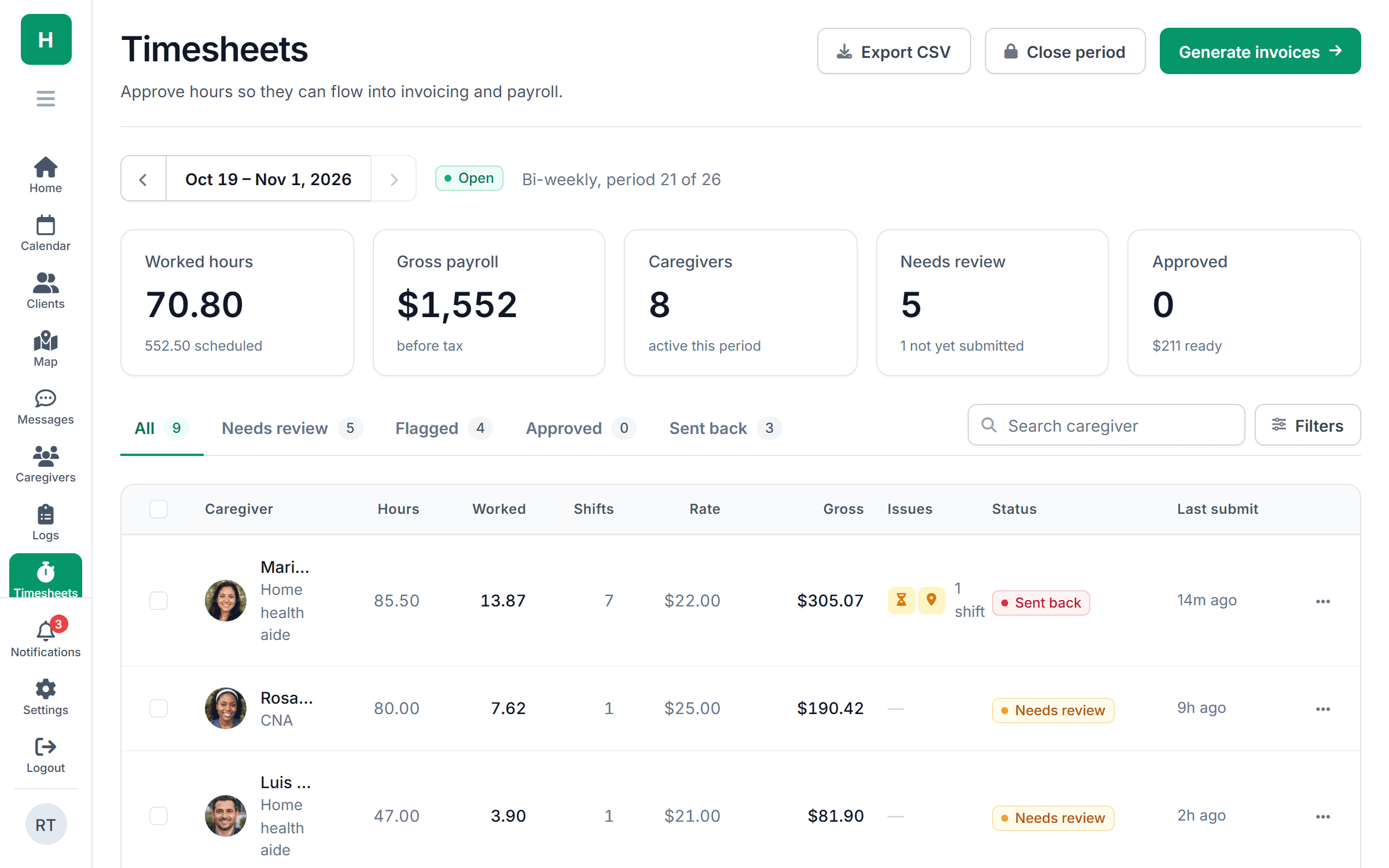
Every check-in and check-out will land on the caregiver’s timesheet for the pay period. Travel time between visits will be added if you pay it.
- 2
Problems will come to you
Missing check-outs, overtime, unsigned visits and EVV overrides will be flagged at the top of the period. You’ll fix them with a reason, and the audit log will keep the original.
- 3
Approve and export
You’ll approve the period and send hours to QuickBooks for payroll, and build invoices for private-pay clients from the same approved visits.
Before payroll
The problems will surface before the money moves.
A caregiver forgot to check out. Another crossed 40 hours on Thursday. A visit has no client signature. Each one will be listed at the top of the pay period with the fix one click away, so payroll goes out right the first time.
- Missing check-outs and unsigned visits
- Overtime by your state’s daily and weekly rules
- EVV overrides for review before approval
QuickBooks
Approved hours will go to QuickBooks as they are.
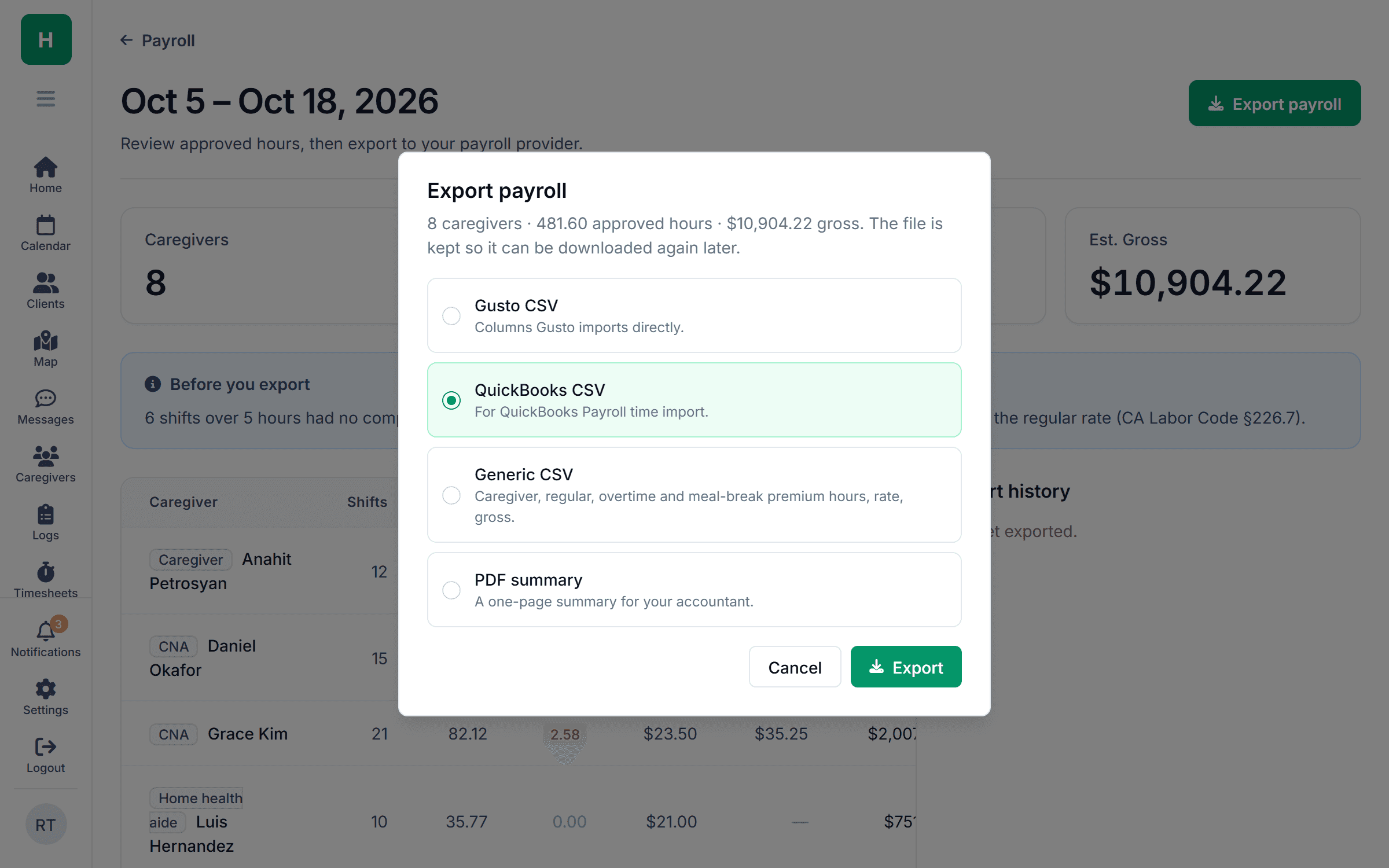
You’ll connect QuickBooks Online once. Each approved period will export as time entries by caregiver, with regular, overtime and travel hours separated, mapped to your payroll items. You’ll run payroll in QuickBooks the way you already do.
- Regular, overtime and travel hours kept separate
- Mapped to your existing payroll items
- Export history, so you can see what was sent and when
Invoicing
You’ll invoice private-pay clients from the same visits.
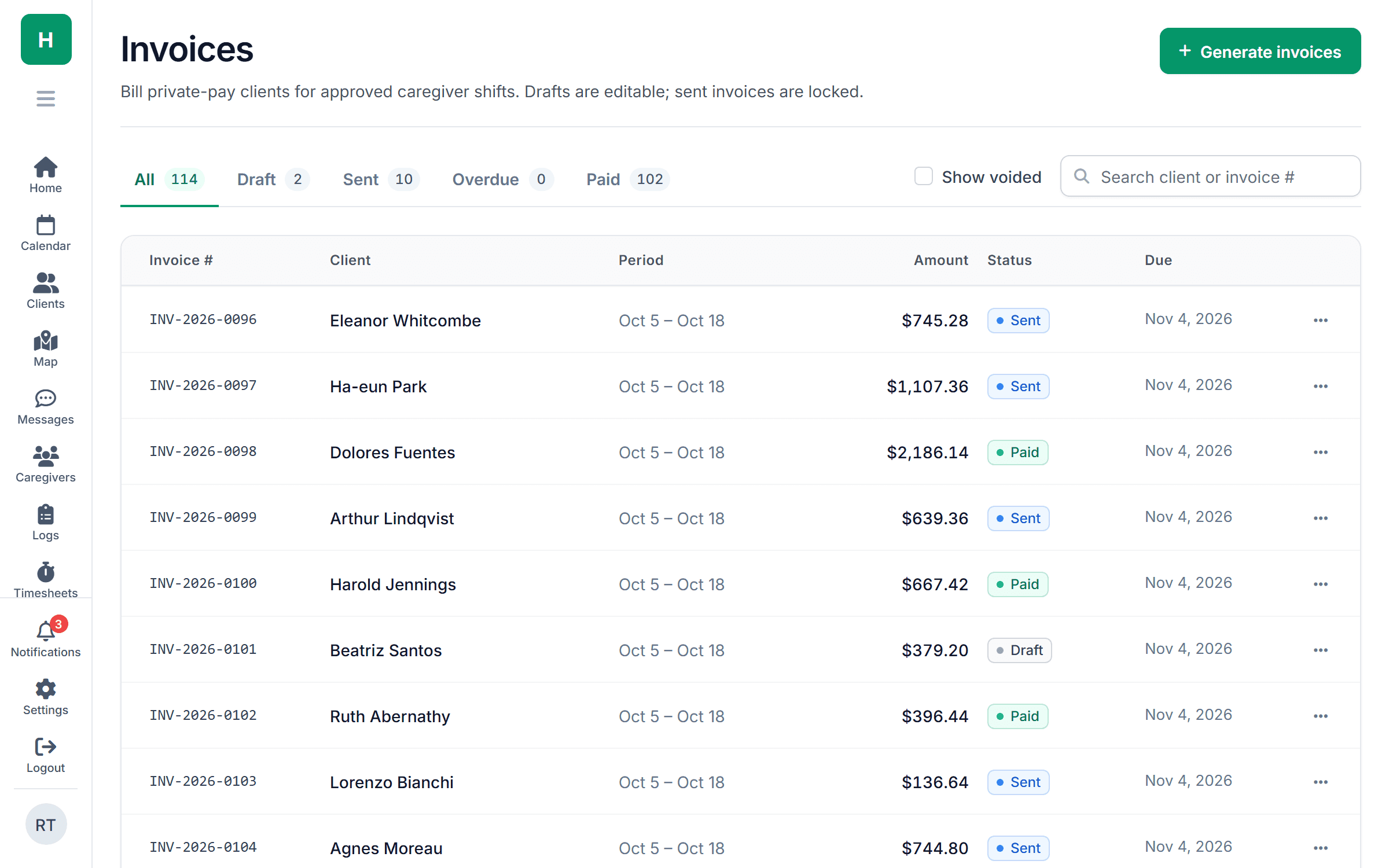
The hours you approve for payroll will be the hours you bill. You’ll build invoices by client for the period at their rate, send them, and see what’s outstanding, with no second spreadsheet to reconcile.
- Invoices built from approved visits
- Per-client rates and service types
- Overdue invoices flagged on the dashboard
Part of one tool
Payroll will start at the client’s front door.
Common questions
What agencies ask about payroll and billing.
Something else on your mind? Ask us and we'll answer the same day.
The plan is for QuickBooks Online to connect directly. For Desktop and other payroll providers, you’ll export the approved period as a CSV formatted for import.
No. Timesheets, approvals and invoices will work on their own, with a CSV export for anything else.
By your state’s rules. Daily and weekly thresholds will be set for your state, and you’ll be able to adjust them. Overtime will show separately on the timesheet and in the export.
Yes. When you turn it on, drive time between consecutive visits will be added to the timesheet as its own line, using the route’s drive times.
Invoicing is planned for private-pay clients. For Medicaid, ask us about EVV exports in your state.
Simple pricing
From $299 /month
Growth: up to 50 caregivers. Timesheets, payroll export and invoicing are coming soon.
They aren’t available yet, so keep your current payroll process for now. We’ll show you what’s coming on a demo.
See what’s coming for payroll Friday.
Book a 30-minute demo and we’ll show you how it will work and where it stands.