
Can I see caregivers and clients on a map in scheduling software?
Some platforms give the office one map of clients and caregivers; others map only a single visit or one caregiver's day.
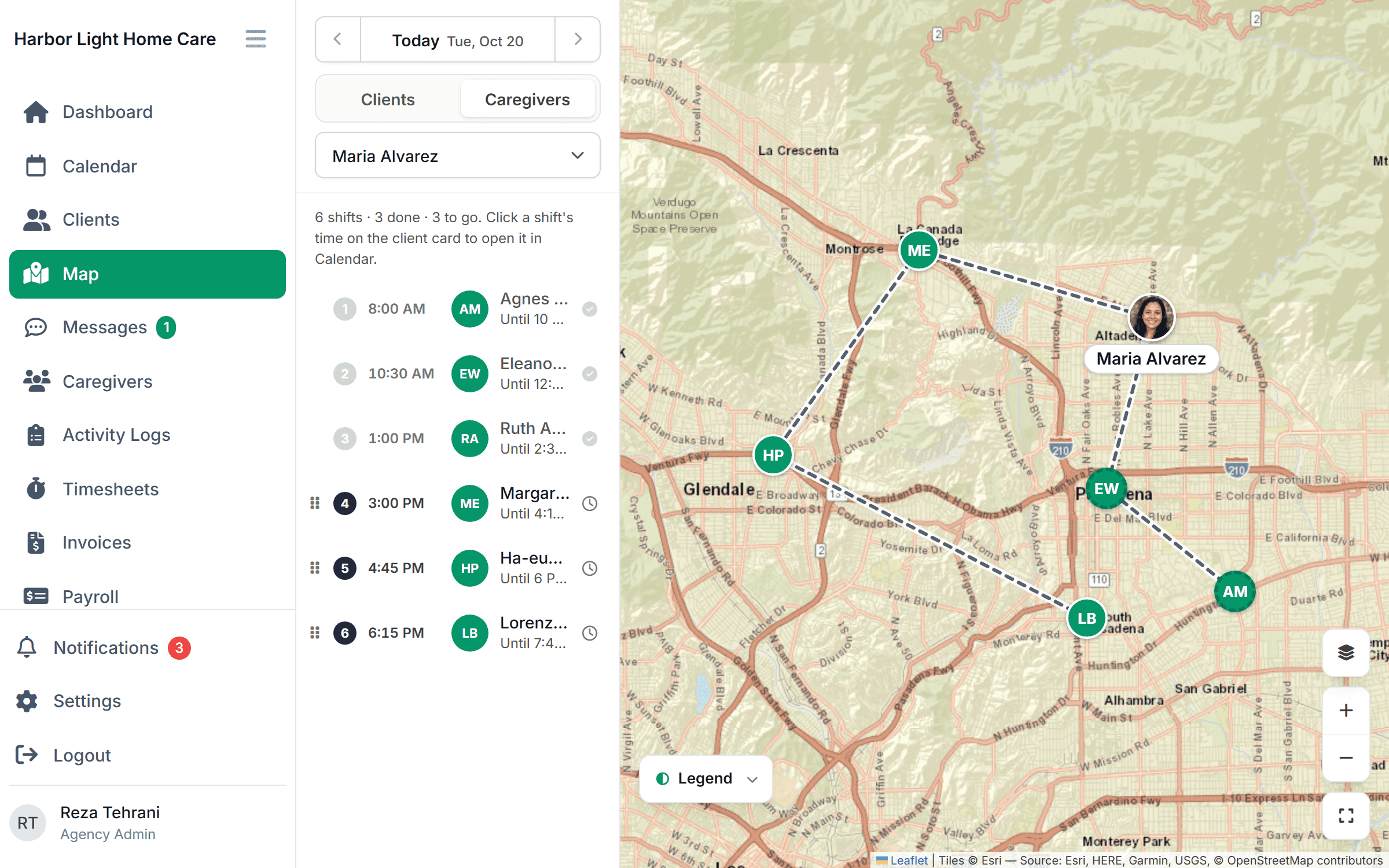
Answer. Some platforms give the office one map of clients and caregivers; others map a single visit or one caregiver’s day, or keep the map in the caregiver app. Ask to see open shifts and today’s check-ins on it. Caregiver Scheduling’s map shows clients, caregiver routes, check-ins and open shifts together.
Map view, compared
| Vendor | Map view |
|---|---|
| AxisCare | Map per visit (client, caregiver, clock-in spots); agency-wide map not stated. |
| WellSky Personal Care | Not stated publicly. |
| AlayaCare | Schedule map with travel routes (Visit Optimizer). |
| CareSmartz360 | Smart Route View: a view-only map of a caregiver’s day. |
| ShiftCare | Geolocation report maps staff and clients. |
| Careswitch | Not stated publicly. |
| HHAeXchange | Smart Map finds the nearest caregiver; a map display is not stated. |
| Caregiver Scheduling | One map of clients, caregiver routes, check-ins and open shifts. |
Competitor details come from each vendor’s public pages, checked November 6, 2026. Ask each vendor to confirm before you buy.
How Caregiver Scheduling does it
Open shifts show on the map beside caregivers working nearby, and you can assign one from there. Visits change status as caregivers check in. Location comes from check-in and check-out, not all-day tracking. $199 a month for up to 10 caregivers on Starter, $299 for up to 50 on Growth, 30-day free trial. See the feature · Try the live demo.
Related answers
See the full list at /answers.
Last reviewed November 5, 2026.